Category: Chile eSIM Guides

Complete Chile eSIM guides for travelers in 2026: best overall picks, Airalo vs Holafly vs Nomad comparisons, cheapest plans, and regional coverage for Patagonia, Atacama Desert, and Easter Island.

  • How Much Data Do You Need in Chile? eSIM Size Guide

    How Much Data Do You Need in Chile? eSIM Size Guide

    Buying too little data is the most common eSIM mistake we hear about, and buying too much is the second. Both are easy to avoid if you think about how you actually use your phone on vacation rather than how much a plan advertises.

    The short answer: light users who rely on maps, messaging, and a few bookings often do well with a small plan of a few gigabytes for a week. Moderate users who also post photos, use rideshare apps daily, and browse often need more. Heavy users who stream video, use video calls, or hotspot a laptop need a large or unlimited plan. Below is how to estimate your own number.

    What uses data, from light to heavy
    How Much Data Do You Need in Chile? eSIM Size Guide
    • Very light: Text messaging, WhatsApp text, email without large attachments.
    • Light: Maps and navigation, rideshare apps, booking confirmations, web browsing.
    • Moderate: Social media with photos, voice calls over the internet, music streaming.
    • Heavy: Video streaming, video calls, uploading videos, hotspotting a laptop, downloading large files.

    Your phone’s own settings can show how much mobile data you use in a typical week at home. That number is the best starting point.

    How to estimate your need

    1. Check your home usage. Look at mobile data usage in your phone settings for the last month, and divide by the number of days.
    2. Adjust for Wi-Fi. At home, you may use Wi-Fi a lot. On a trip, hotel Wi-Fi covers some use, but you will use mobile data more on the road.
    3. Add a buffer. Travel days need more data for maps and bookings. Add a cushion so you do not run out in the middle of nowhere.
    4. Multiply by your trip length. Compare the total with the plans available.

    We do not quote exact data amounts per activity, because apps and settings change, and your habits differ. Treat the categories above as a guide.

    Ways to save data
    How Much Data Do You Need in Chile? eSIM Size Guide
    • Download offline maps before you leave Wi-Fi. This is the single biggest saver, and it is useful where signal is weak.
    • Use hotel Wi-Fi for uploads, updates, and video.
    • Turn off automatic app updates and cloud photo backup over mobile data.
    • Lower video quality if you stream.
    • Use low-data modes in your apps and phone.

    Match the plan to the trip

    • Short stopover in Santiago: A small plan is typically enough.
    • One to two weeks, two regions: A mid-size plan fits most travelers.
    • Three weeks or more: Choose a larger plan, or plan to top up.
    • Remote work or heavy use: Consider a large or unlimited plan and check the hotspot and fair-use terms.

    Prices and plan sizes change often, so check current options on the provider’s page. Our Airalo Chile eSIM link takes you to the available plans, and our Airalo Chile eSIM review explains the setup.

    Can you top up?

    Many eSIM providers let you add more data if you run low. That is a useful safety net, as long as you have some connection to complete the purchase. It is better to choose a sensible size at the start and treat a top-up as a backup. Check the terms for your plan before you travel.

    Do not forget about coverage

    More data does not help where there is no signal. Remote areas of the Lake District, the Atacama, and Patagonia have patchy coverage for every provider. Offline maps are your friend there. See eSIM in Patagonia and eSIM in the Atacama for what to expect.

    Hotspot and tethering

    If you plan to use your phone as a hotspot for a laptop, check whether your plan allows it, and note that it uses much more data. Confirm the rules before you buy.

    Common mistakes

    • Buying the smallest plan for a long trip.
    • Leaving your home SIM’s data roaming on, which can cause surprise bills. Turn it off.
    • Forgetting to install the eSIM before leaving home.
    • Not downloading offline maps.
    • Assuming “unlimited” means no limits. Read the fair-use terms.

    Related guides

    If you are still choosing, see our guides to Chile SIM card versus eSIM, Holafly versus Airalo, the best Chile eSIM for travel, and our eSIM comparison. If you are crossing into Argentina, read eSIM for Chile and Argentina.

    Why data matters for us

    Data is how we call a ride after dark, show a booking, and reach our bank if something goes wrong. We always set it up before we fly, and we pick a plan sized to the trip. For safety habits around your phone, see common scams in Chile.

    Common questions

    Is 1 GB enough for a week in Chile?

    For very light use, with maps, messaging, and a few bookings, it can be. If you use rideshare apps daily, browse often, or share photos, you will likely need more. Check your own usage at home.

    What if I run out in the middle of a trip?

    Top up if your provider allows it, or buy a second plan. Keep hotel Wi-Fi in mind as a fallback.

    Does using maps in the background use a lot of data?

    Live navigation uses more than static maps. Offline maps reduce usage a lot, and we download them before leaving Wi-Fi.

    Do I need more data if I travel with a partner?

    If you both use the same eSIM through a hotspot, yes. If each of you has your own plan, size each to your own use.

    Our rule of thumb

    We prefer to buy slightly more than we think we need, because running out is more stressful than having a little left over. We also treat Wi-Fi as a bonus and not as a plan. Plan for mobile data on the road, and enjoy hotel Wi-Fi for uploads and updates. If your trip is long, plan for a top-up, and if it is short, pick a modest plan and rely on offline maps.

    A sample way to size a plan

    Imagine a ten-day trip split between Santiago and one other region. In the city, you will use data for maps, rides, and a few bookings. In the second region, you will use more for navigation, since you are moving between towns. Estimate light use for half the days and moderate use for the rest, add a cushion for travel days, and compare with the plan sizes on offer. If your estimate falls between two sizes, choose the larger one. The small extra cost is worth the peace of mind.

    Estimate your usage, add a buffer, and install the plan at home. We would love to hear how much you ended up using.
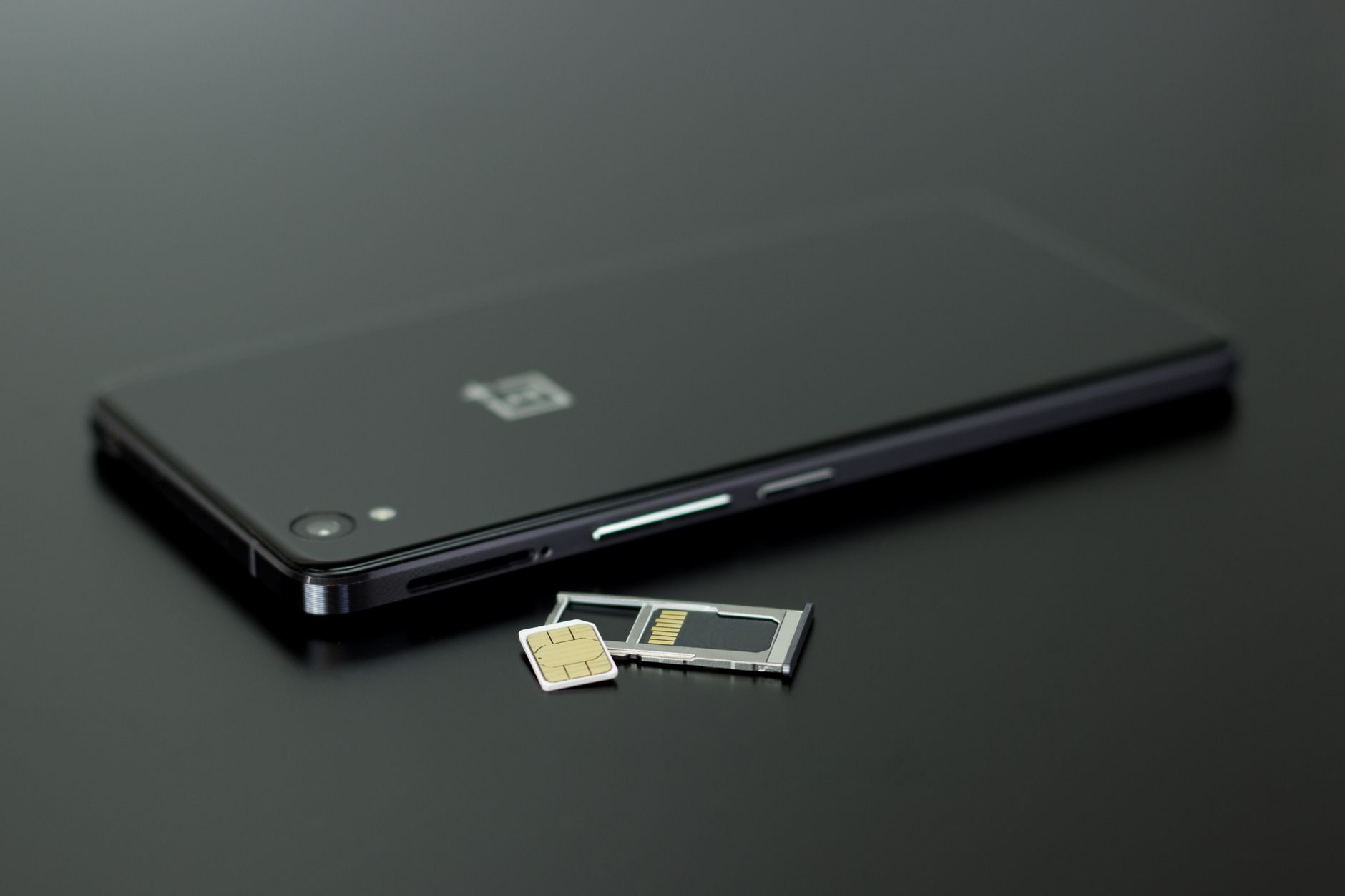
  • Chile SIM Card vs eSIM: Which Is Better for Tourists?

    Chile SIM Card vs eSIM: Which Is Better for Tourists?

    Before most trips, we ask ourselves one practical question about our phones: do we arrive with data, or do we find a shop and sort it out on the ground? In Chile, you can do either, and the better choice depends on your trip.

    The short answer: for most visitors on a one- to three-week vacation, an eSIM is simpler, because you install it at home and land connected. A local SIM card can be cheaper for long stays and gives you a Chilean phone number, but you need to buy it in person and may need your passport. This guide helps you decide in a few minutes.

    The two options in plain words

    Chile SIM Card vs eSIM: Which Is Better for Tourists?
    • eSIM: A digital SIM installed through a QR code or app. No physical card, no shop visit. Most travel eSIMs are data-only.
    • Local SIM card: A physical card from a Chilean carrier, inserted in your phone. Many include data, calls, and a local number.

    When an eSIM is the better choice

    • You want to land connected. You can order a ride and open a map right away.
    • Your trip is short to medium. A fixed-size data plan matches a normal vacation.
    • You want to keep your home SIM active. Calls and bank codes still reach you.
    • You would rather skip a shop visit after a long flight.

    Our guide to the Airalo Chile eSIM walks through setup, and you can view our Airalo Chile eSIM link directly.

    When a local SIM is the better choice

    Chile SIM Card vs eSIM: Which Is Better for Tourists?
    • You are staying for weeks or months. A local plan may offer better value over time.
    • You need a Chilean number. For example, for local deliveries or registering for services.
    • Your phone does not support eSIM. Then a physical SIM is the only way.
    • You need lots of data and plan to compare local plans.

    What you need to buy a local SIM

    Rules can change, but visitors are typically asked to show a passport when buying a SIM, and there may be a registration step before the line works. Your phone must be unlocked. You can buy at carrier stores, in shopping malls, and sometimes at the airport, though prices and hours vary. Check current requirements and offers on the carrier’s official site or in store.

    If you land late or on a Sunday, you may find shops closed, and you could be without data for hours. That is a good reason to have an eSIM ready.

    Side by side

    • Setup: eSIM at home in minutes. Local SIM in a shop after you land.
    • Convenience on arrival: eSIM wins. A local SIM needs a store visit.
    • Phone number: Local SIM wins, since most travel eSIMs are data-only.
    • Long stays: Local SIM may be better value.
    • Keeping your home number active: Both can work, with an eSIM being simpler on a dual-SIM phone.
    • Phone compatibility: eSIM requires a supported, unlocked phone.

    Check your phone first

    Look in your phone’s settings for an option to add an eSIM or cellular plan. Most phones from the last several years support it. Make sure your phone is carrier-unlocked. If you are not sure, ask your carrier before you travel.

    Coverage is the same story

    Whether you choose an eSIM or a local SIM, coverage depends on the local networks. Santiago, Valparaíso, and main tourist towns are well covered. In remote parts of the Lake District, the Atacama, and Patagonia, signal is patchy for everyone. Download offline maps before you leave a town. See our guides to eSIM in Patagonia and eSIM in the Atacama.

    Why data matters for safety

    Data lets you call a ride after dark, use a map, show bookings, and receive banking codes. If your phone is lost or stolen, you want to reach your bank straight away. We always set up data before we fly. For safety habits in Santiago, see our guide to areas to avoid in Santiago.

    Our recommendation

    1. Trip of one to three weeks, with an eSIM-ready phone: Choose an eSIM and install it before you fly.
    2. Stay of a month or more: Compare a local SIM.
    3. Phone without eSIM: Buy a local SIM, ideally in daylight at a store.
    4. Crossing into Argentina: See eSIM for Chile and Argentina.

    How much data do you need?

    It depends on your habits. Maps and messaging use little, and video calls and streaming use a lot. See our guide on how much data you need in Chile. For provider choices, see Holafly versus Airalo, our eSIM comparison, and best Chile eSIM for travel.

    Common questions

    Can I buy a SIM card at the airport?

    Often yes, though prices and availability vary, and you may need your passport. Compare with city stores, and check the terms before you pay.

    Do I need to register a local SIM?

    Registration rules can apply, and they can change. Ask the seller to confirm that the line will work before you leave the store.

    Can I keep WhatsApp working?

    Yes, with either option, since WhatsApp uses data and your existing number. You do not need a local number to use it.

    Which is better for remote areas?

    Neither guarantees signal. Coverage depends on local towers. Download offline maps, whichever you choose.

    The decision in one minute

    If your phone supports eSIM and your trip is under a month, choose an eSIM, install it at home, and arrive connected. If your phone does not support eSIM, or you are staying for months, buy a local SIM in daylight at a store and check that it is active before you leave. In both cases, the real win is the same: make the decision before you land, so that data is never a problem on your first evening.

    Switching plans mid-trip

    If you start with an eSIM and later realize you need more data, you can usually buy another plan from your phone, provided you have a connection. If you start with a local SIM and want to switch, you will need to visit a store or find a top-up option. That asymmetry is another reason we prefer to set up an eSIM at home and keep a backup plan in mind.

    The bottom line

    For a normal vacation, an eSIM saves time and stress, and it is how we prefer to travel. For long stays or phones without eSIM, a local SIM is a solid alternative. Pick one, set it up before you need it, and enjoy the trip. We would love to hear which you chose.

  • eSIM for Chile and Argentina: One Plan or Two?

    eSIM for Chile and Argentina: One Plan or Two?

    Crossing from Chile into Argentina, or the other way, is one of the classic South American combinations, and it raises a practical question: do you need one eSIM or two? The answer depends on how you travel, and on one detail many people miss.

    The short answer: you have two options. A regional eSIM that covers both Chile and Argentina keeps things simple, and separate country eSIMs give you more choice of data size and price. Either way, check that the plan really lists both countries, and install it before you leave home.

    Option 1: one regional eSIM for both countries

    eSIM for Chile and Argentina: One Plan or Two?

    Some providers sell plans that cover several South American countries. The advantage is simplicity: one install, one plan, no switching at the border. The trade-off is that regional plans can cost more per gigabyte than a single-country plan, and the data amount is shared across the trip. They suit travelers who cross the border more than once or who are not sure of their route.

    Option 2: two country eSIMs

    You can buy a Chile eSIM and an Argentina eSIM separately and switch lines when you cross. This gives you more control over how much data you buy for each country, and it can be good value if you spend much longer in one place. The cost is a little more admin: you install both before you leave, and you switch the active data line at the border.

    We use our Airalo Chile eSIM link for Chile. For the full setup steps, see our Airalo Chile eSIM review.

    Which is better for you?

    eSIM for Chile and Argentina: One Plan or Two?
    • One border crossing, moderate use: Two country plans often work well, with a sensible data amount for each.
    • Several crossings or a flexible route: A regional plan saves hassle.
    • Mostly Chile, a short Argentina visit: Buy a larger Chile plan and a small Argentina one.
    • Heavy data use: Compare plan sizes closely, since regional plans may cap data.

    Prices and plan terms change often, so check current details on the provider’s page.

    Check these details before you buy

    1. Coverage list: Confirm both Chile and Argentina appear in the plan’s countries.
    2. Validity: Check how many days the plan lasts and when the clock starts.
    3. Hotspot rules: If you need to tether a laptop, confirm it is allowed.
    4. Phone compatibility: Your phone must support eSIM and be carrier-unlocked.
    5. Speed and network: Plans use local partner networks, so speeds and coverage depend on the area.

    How to switch at the border

    1. Install all eSIMs at home on Wi-Fi.
    2. Name each line clearly in your phone settings, for example “Chile” and “Argentina.”
    3. When you cross, change the active mobile data line to the new country’s eSIM.
    4. Enable data roaming for that line, and keep your home SIM’s data off.
    5. Test with a map before you set off.

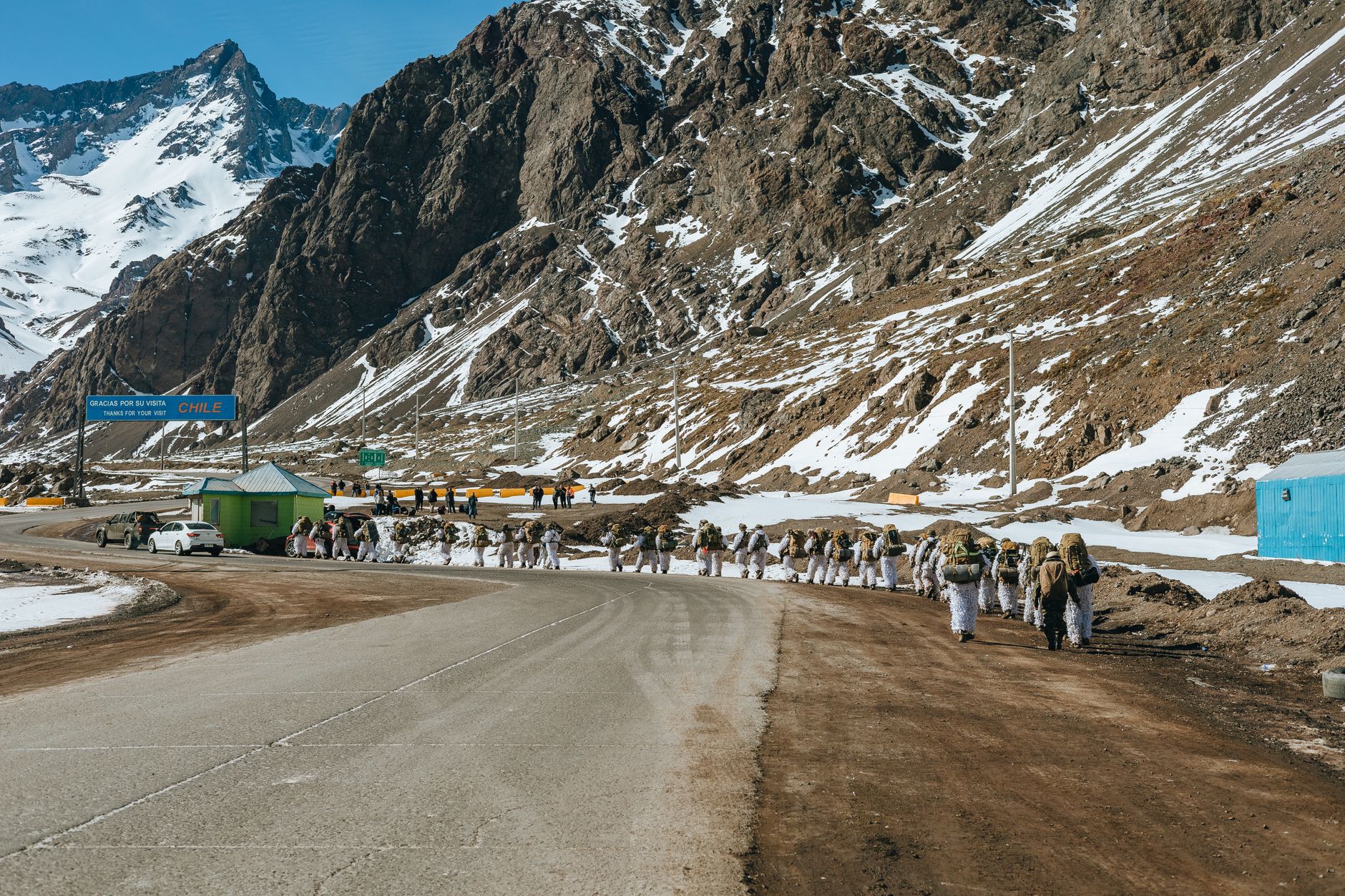
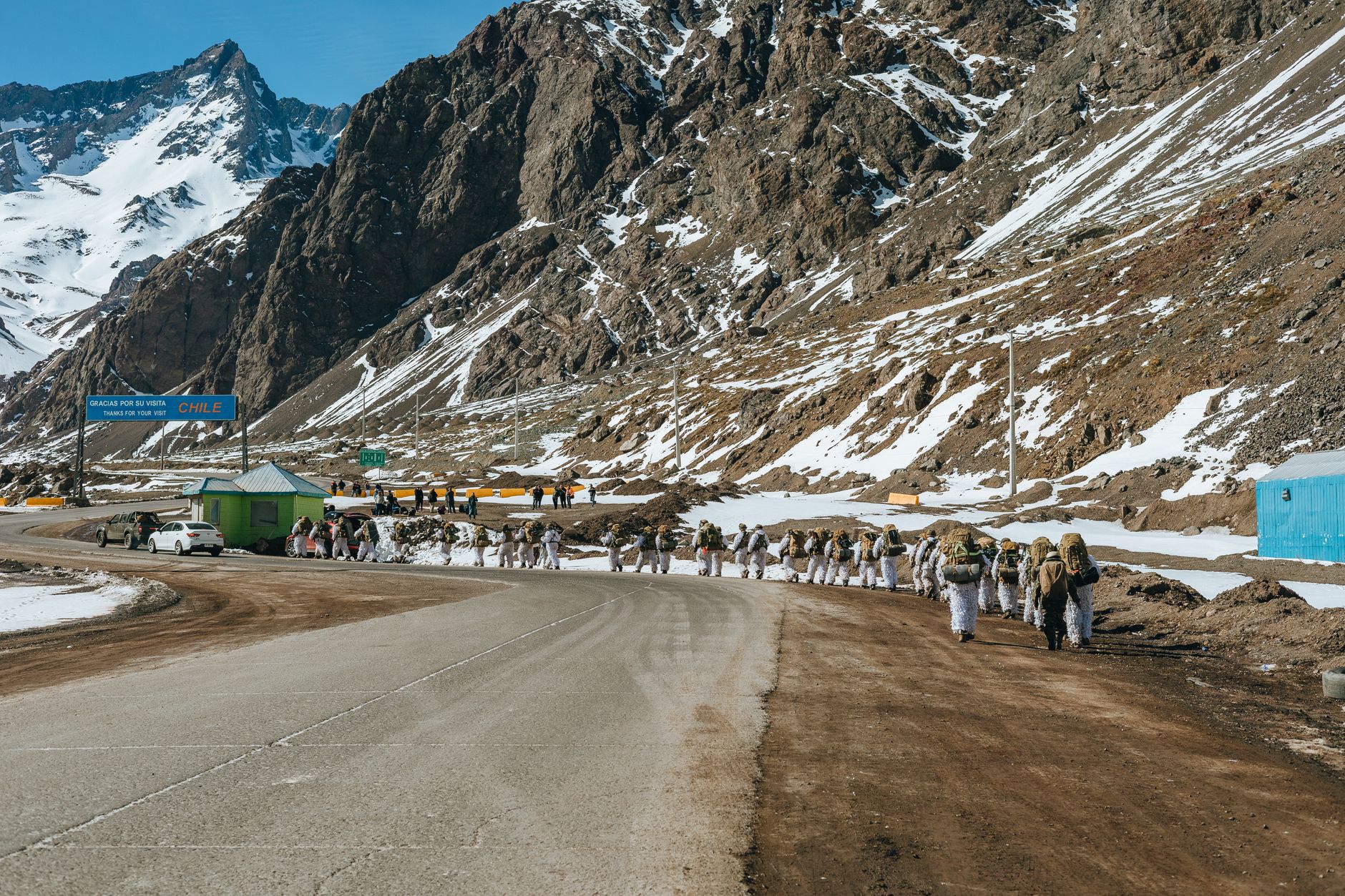
    Border posts and mountain passes often have weak signal, so download offline maps and keep your documents handy. If you are crossing by road, check the pass’s status before you set off. Mountain crossings can close because of snow or wind.

    Where coverage is weakest

    Both countries have remote areas with limited signal, especially in Patagonia and high mountain passes. That is true for every provider. Our guide to eSIM in Patagonia explains what to expect. If your trip covers the Patagonian region of both countries, plan on offline maps and a flexible mindset.

    Why we always set up data before landing

    Data is how you call a ride, show a booking, and use a banking app. It also keeps you safe: if your phone is lost, you want to reach your bank right away. That is why we set up an eSIM before every trip. Our best Chile eSIM for travel guide covers what to look for, and the eSIM comparison shows the main providers side by side. If you are choosing between brands, see Holafly versus Airalo.

    Local SIM instead?

    A local SIM in each country can be cheaper for long stays, but it requires buying in person, and registration rules may apply. For a normal vacation, an eSIM is simpler. Our guide to Chile SIM card versus eSIM compares them.

    A simple setup checklist

    • Confirm your phone supports eSIM and is unlocked.
    • Decide: regional plan or two country plans.
    • Install everything at home on Wi-Fi, but do not activate yet.
    • Download offline maps for both countries.
    • Keep your home SIM on for calls and codes, with its data off.

    Common questions

    Can I use my Chile eSIM in Argentina?

    Only if the plan lists Argentina as a covered country. Many Chile plans cover Chile only, so check the plan details.

    Do I need to buy before I cross?

    We install before leaving home, because buying at the border or in a remote area depends on having signal. Buy and install everything while you have Wi-Fi.

    Will my signal work in the mountains between the two countries?

    Not reliably. High passes and remote stretches often have no coverage, for any provider. Download offline maps and save your documents offline.

    Do I need a separate plan for each country if I cross once?

    Often it is simplest and cheapest to buy one plan per country, sized to the days you spend in each. A regional plan makes more sense if you cross repeatedly.

    Border crossing tips that matter

    Border procedures take time, and they are easier when your phone works. Keep your passport, entry papers, and any vehicle documents together in a folder, and photograph them. If you are driving a rental car across, check the rental company rules well in advance, because many require special permission for cross-border travel. Carry some local currency for both countries, and expect queues at busy times.

    For the broader Chile planning, our guides to driving in Chile and Santiago to Patagonia are good next reads.

    Payments and cash when you cross

    Money works differently on each side of the border, so plan for both. Carry a little cash in each currency, and check how cards are accepted in the places you will visit. Our guide to Chile currency and money tips covers the Chilean side. For Argentina, check current guidance from official sources, since exchange practices can be different from what you expect.

    With a little setup, you can cross the Andes without losing your connection. We would love to hear which route you take.

  • Holafly vs Airalo for Chile: Which eSIM to Pick

    Holafly vs Airalo for Chile: Which eSIM to Pick

    When readers ask us which eSIM to buy for Chile, they usually name two brands: Airalo and Holafly. Both are popular, and both work on the same basic idea. The difference is in how they sell data, and that difference should drive your choice.

    The short answer: choose Airalo if you want a plan sized to your trip, with a set amount of data and a clear price. Choose Holafly if you care most about an “unlimited” plan and a simple daily structure, and you are comfortable with its fair-use terms. For most visitors to Chile we recommend Airalo, and the link we use is our Airalo Chile eSIM page. We cannot speak from our own use about Holafly, so below we compare what each company says it offers, and we tell you what to check yourself.

    The core difference

    Holafly vs Airalo for Chile: Which eSIM to Pick
    • Airalo: Sells data packages in set sizes and durations. You pick the data amount and number of days that fit your trip.
    • Holafly: Is known for unlimited data plans sold by the number of days, often with a fair-use policy that can slow speeds after heavy use.

    Plans, prices, and terms change often, so read the current conditions on each provider’s page before you buy. We do not quote prices here because they move.

    Questions to ask before you buy

    How much data will you really use?

    Light users who check maps, messages, and a few bookings may be happy with a smaller fixed plan. Heavy users who stream, hotspot, or video call may find a larger or unlimited plan less stressful. If you are unsure, see our guide to how much data you need in Chile.

    What does “unlimited” really mean?

    Unlimited plans often come with a fair-use clause. After a certain amount of use in a day, speeds may drop. If you do not need high speeds all day, that may be fine. If you plan to hotspot a laptop, check the terms on tethering. Read the small print on each plan.

    Is hotspot allowed?

    Some plans restrict tethering. If you need to work from a laptop on the road, confirm this before you buy.

    Does your phone support eSIM?

    Both providers need an eSIM-compatible, carrier-unlocked phone. Check this first. If your phone does not support eSIM, you will need a local SIM instead. Our guide to Chile SIM card versus eSIM walks through that choice.

    When does the clock start?

    Some plans start counting from installation or from the first connection. Know which applies, and install at home on Wi-Fi without activating until you land.

    Where the network actually matters

    Holafly vs Airalo for Chile: Which eSIM to Pick

    Both services rely on local partner networks, so coverage depends on the towers, not the brand. In Santiago, Valparaíso, and the main tourist towns, you can expect a good signal. In remote areas of the Lake District, the Atacama, and Patagonia, coverage is patchy for every traveler. Download offline maps before you go, whatever you choose. Our posts on eSIM in Patagonia and eSIM in the Atacama have more detail.

    Who should pick which

    • Short trip, light use: A small fixed plan is usually enough, so Airalo tends to fit.
    • Longer trip, moderate use: A mid-size fixed plan works for most people. Add data if you run low.
    • Heavy daily use or hotspot needs: Compare unlimited plans, and read the fair-use terms carefully.
    • You want the least thinking: Pick one plan, install it at home, and move on. The provider matters less than being set up before you land.

    Setup works the same way

    1. Check your phone supports eSIM and is unlocked.
    2. Buy the plan and install it at home on Wi-Fi.
    3. Leave the eSIM off until you land in Santiago.
    4. Turn on the eSIM, enable data roaming for it, and set it as your data line.
    5. Keep your home SIM on for calls and codes, with its data off.

    Our approach

    We set up an eSIM before every trip because data is a safety tool: maps, rides, translations, banking codes, and bookings all depend on it. We keep it simple and pick a plan sized to the trip. See our Airalo Chile eSIM review for the setup steps. If you are comparing the full field of providers, our eSIM comparison and best Chile eSIM posts cover more, and if you are traveling to Argentina too, see eSIM for Chile and Argentina.

    A simple decision guide

    If you are still unsure, answer three questions. First, how many days will you travel? Second, how much do you use your phone for video, music, and uploads? Third, do you need to work from a laptop on mobile data? Short trips with light use point to a fixed-size plan. Long trips with heavy use point to a larger or unlimited plan. Laptop work points to checking the tethering rules first, whichever brand you choose.

    Then compare the exact plan on each provider’s page, because plans and prices change. Read three things: the countries covered, the validity period, and the rules on hotspot and fair use. That takes five minutes and prevents most of the disappointments we hear about.

    Common questions

    Is unlimited data really unlimited?

    Often with conditions. Many unlimited plans include a fair-use policy that can slow speeds after heavy use. Read the plan description for details.

    Can I switch providers if I do not like one?

    You can buy a different eSIM at any time, as long as you have a connection to do it. That is a good reason to have your first plan installed before you travel, and not to wait until you are in a remote area with no signal.

    One more thing to check: your phone settings

    Before you travel, open your phone’s mobile data settings and look at the cellular plans screen. Learn how to switch the active data line, how to label each line, and how to turn data roaming on and off per line. That five-minute rehearsal at home makes the arrival easy, whichever provider you choose.

    The bottom line

    The best eSIM is the one you install before you fly, sized to how you actually use your phone. For most visitors, a clear package from Airalo hits the sweet spot. If you are a heavy user, compare unlimited options and read the fair-use terms. Either way, test it at home, and you will land in Chile ready to go.

    Safe travels, and tell us what you chose.

  • Airalo Chile eSIM Review: Setup and Who It Suits

    Airalo Chile eSIM Review: Setup and Who It Suits

    The worst moment to work out your phone plan is at the arrivals gate in Santiago, tired after an overnight flight, with a taxi driver waiting and no data. That is why we sort out our connection at home, before we fly.

    The short answer: Airalo is the eSIM we recommend for most visitors to Chile. You install it before you leave, switch it on when you land, and keep your normal number for calls and texts. Here is how it works, who it suits, and where it falls short, so you can decide in five minutes.

    What an eSIM is, in plain words

    Airalo Chile eSIM Review: Setup and Who It Suits

    An eSIM is a digital SIM card built into your phone. Instead of a plastic card, you scan a QR code or tap an install link, and your phone adds a second mobile line. Airalo sells data-only eSIMs for many countries, including Chile. You keep your home SIM active for calls and codes, and you use the Chile eSIM for mobile data.

    Your phone must support eSIM and be unlocked by your carrier. Most phones from the last several years do. Check your settings under mobile data or cellular for an option to add an eSIM, or ask your carrier. If you are unsure, test before you travel, not at the airport.

    Why we use an eSIM in Chile at all

    Data is not a luxury on a Chile trip. It is how you call a rideshare after dinner, check a bus, pay with a banking app, show a booking, and receive login codes. For us it is also a safety tool: if you have data, you always have a map and a way to reach someone. That matters most in the places where the road runs out, like the Lake District or the long drives toward Patagonia.

    It also saves a chore. Buying a local SIM means finding a shop, showing your passport, and sorting out registration. With an eSIM you skip all of that and land connected.

    How to set it up the right way

    Airalo Chile eSIM Review: Setup and Who It Suits
    1. Choose your plan. Open the Airalo Chile eSIM page and pick a data amount that fits your trip length. If you are unsure how much to pick, read our guide to how much data you need in Chile.
    2. Install on Wi-Fi at home. Follow the in-app steps. This takes a few minutes, and you do it while you have a stable connection.
    3. Do not activate yet. Leave the eSIM installed but switched off until you land. Plans usually start counting from the first connection or a set time after install, so check the terms on your plan page.
    4. On arrival, turn on the Chile eSIM, enable data roaming for that line, and set it as your mobile data line. Keep your home SIM on for calls, but turn off its data to avoid roaming charges.
    5. Test it. Open a map and load a page before you walk out of the terminal.

    Where Airalo works well

    • Setup speed. It is a quick install, with no store visit and no ID check.
    • Flexibility. Plans come in several data sizes, so you can match a short Santiago stopover or a longer multi-region trip.
    • Keeps your number. Your home SIM stays active for calls, texts, and two-factor codes from your bank.
    • Works across the country in principle. It uses local partner networks, so it covers Santiago and most towns on the usual tourist routes.

    Where you should be realistic

    An eSIM is only as good as the local network behind it. In the Santiago and Valparaíso area you should have no trouble. Out in remote stretches of the Lake District, the Atacama, and Patagonia, coverage depends on the towers, and any traveler’s phone can drop to weak or no signal on a mountain road or inside a national park. Download offline maps before you leave a town. Our notes on eSIM in Patagonia and in the Atacama go into this in detail.

    Also be aware that data-only eSIMs do not give you a Chilean phone number. If you need to receive local calls, for a tour operator or an owner of a vacation rental, WhatsApp is the tool most Chileans use. It works over data, and we use it constantly to coordinate transfers and tours.

    Common mistakes to avoid

    • Buying a plan that is too small, then running out in your first week. Video calls and offline map downloads eat data fast.
    • Leaving data roaming on for your home SIM, which can create a surprise bill.
    • Installing the eSIM in the airport with a weak connection. Do it at home.
    • Forgetting to remove a QR code from a screenshot folder. Most eSIM QR codes install once, so keep the email until you are sure it works.

    eSIM versus a local SIM card

    A local SIM can be cheaper for a long stay, and it gives you a Chilean number. For a normal vacation of one to three weeks, the convenience of landing connected usually wins. If you want the full trade-off, our Chile SIM card versus eSIM guide compares them step by step, and our eSIM comparison shows the main providers side by side.

    Who should pick Airalo

    It suits travelers who want a straightforward install, a data plan sized to the trip, and no hunt for a shop on day one. It is a good fit if you are visiting Santiago and one other region, which is how we recommend most people travel. If you plan to spend weeks in remote areas, treat any mobile data as a bonus and pack offline maps.

    If you are still weighing options, our guide to the best Chile eSIM for travel lays out what to look for. When you are ready, set it up at home, and you will arrive in Santiago connected and calm.

    Common questions

    Do I need to be connected the moment I land?

    We think so. The first things you do after landing are usually the ones that need data: confirm your ride, message your hotel, and open a map. Walking out of the terminal already connected removes the one moment when you are most tired and most likely to accept a bad offer from a stranger.

    Can I use the eSIM and my home SIM at the same time?

    On most eSIM phones, yes. Your home SIM stays on for calls, texts, and the security codes your bank sends, while the Chile eSIM handles mobile data. Just make sure the data line is set to the eSIM and that data roaming is off on the home SIM, so you are not charged roaming fees by accident.

    What if my phone is not compatible?

    Then a local SIM card is the practical alternative. Check your phone model and carrier lock status well before you travel, because carrier unlocking can take a few days to arrange.

    Will it work if I also visit Argentina?

    A Chile plan covers Chile. For a trip that crosses the border, read our guide to eSIM for Chile and Argentina before you buy.

    Safe travels, and tell us how your first hour in Chile goes.

  • Atacama eSIM Guide (2026 Edition)

    Atacama eSIM Guide (2026 Edition)

    eSIM coverage in San Pedro de Atacama: what worked for us.

    Coverage notes sit next to the trip order in our Atacama travel guide.

    Chile eSIM comparison: Airalo vs Holafly vs Nomad We’ve compared Airalo, Holafly, and Nomad side by side. Click here for our full Chile eSIM comparison.

    Atacama eSIM Guide.

    Jan & Valeria. We travel to Chile often and love sharing tips to help you experience this beautiful country.

    Affiliate disclosure: some links below (including Airalo) may earn us a commission at no extra cost to you. We only recommend what we would use ourselves.

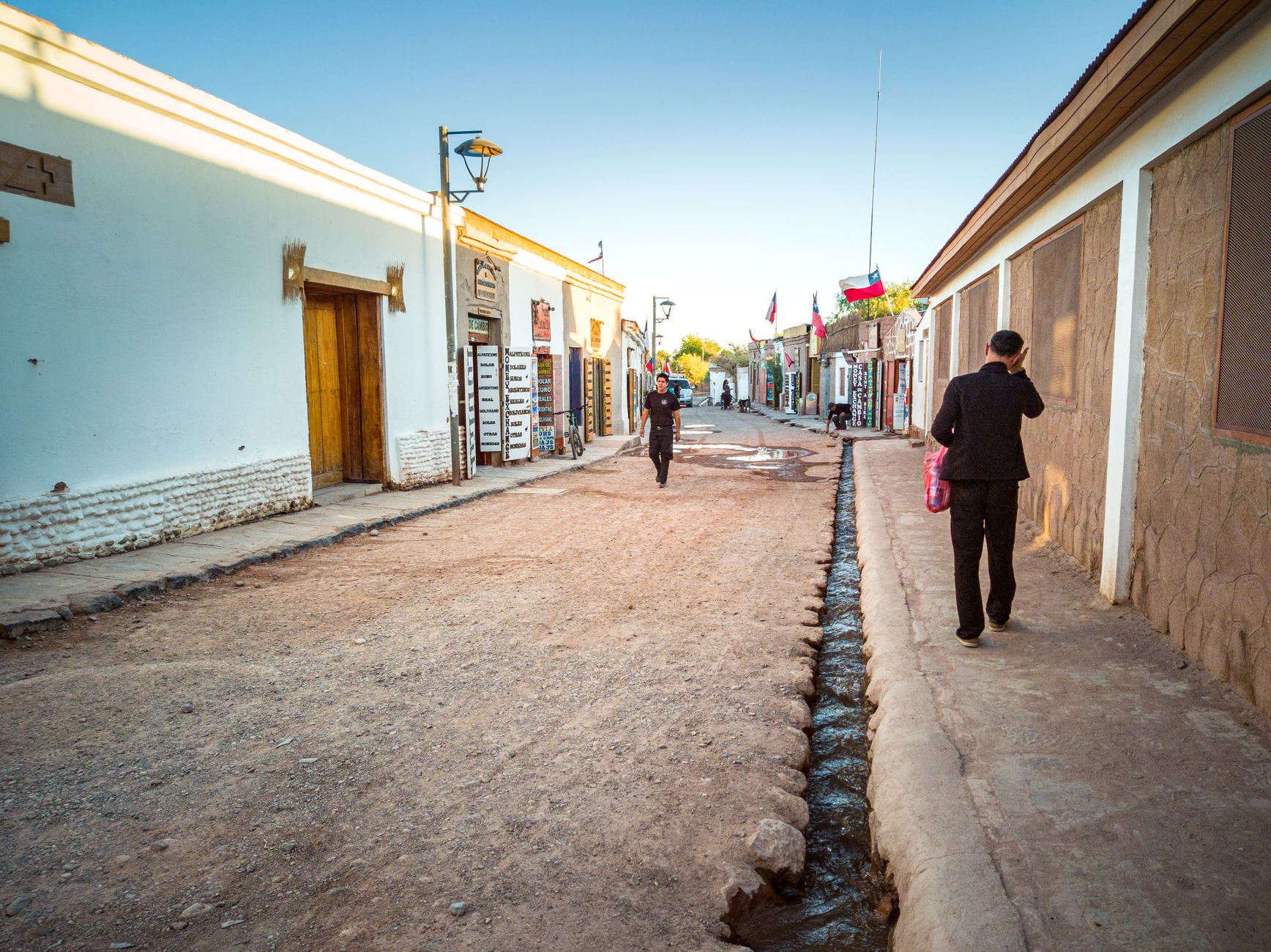
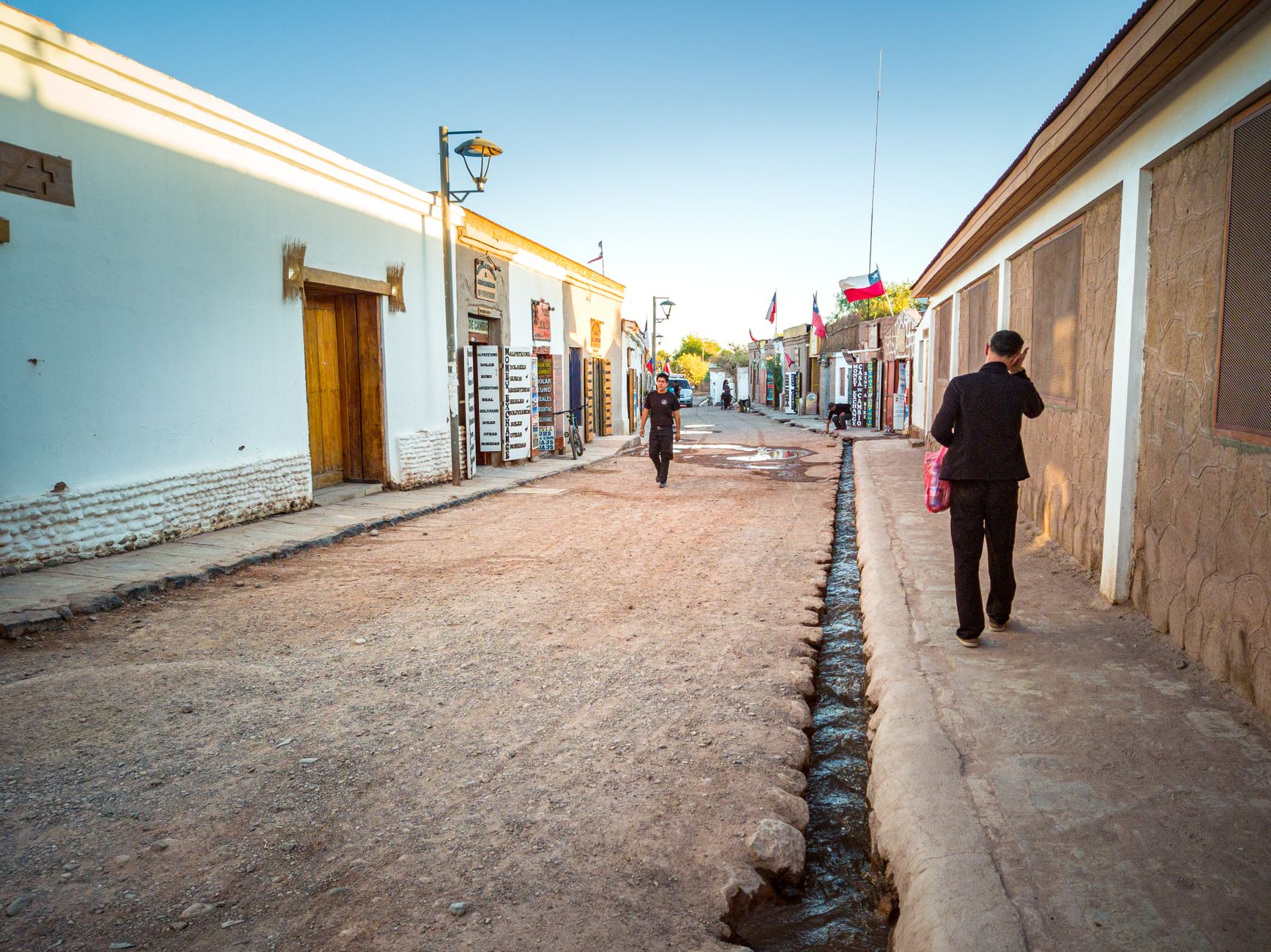
    San Pedro de Atacama is where people discover that “Chile coverage” is not the same as perfect altiplano signal. We loved the desert light, the adobe streets, and the tours that start before sunrise. We did not love assuming our phones would behave like they do in Santiago on every gravel road toward El Tatio or Valle de la Luna. Plan for town connectivity and offline maps outside it. That mindset saved us annoyance, not adventure.

    What works in San Pedro town

    eSIM coverage in San Pedro de Atacama: what worked for us

    In San Pedro itself, our eSIM generally behaved the way we needed for hotels, restaurants, tour confirmations, and evening planning. Streets are small. Wi-Fi at lodgings is common backup. This is the easy part.

    We still bought data ahead via Airalo and activated on landing in Chile, not on the Calama transfer. By the time we reached San Pedro, maps and messages already worked. See also Atacama desert eSIM and the main Chile eSIM comparison for provider context.

    What gets unreliable outside town

    Day trips toward geysers, high passes, and remote viewpoints are where signal thins. Geography and altitude win over marketing maps. Tours know this. Good guides communicate timing without assuming you can Google everything from the van.

    We download offline maps for San Pedro and the main tour corridors before we leave Santiago or Calama. We screenshot tour pickup details. We tell family we may be unreachable for hours, not minutes, on certain mornings.

    Calama airport and the transfer

    eSIM coverage in San Pedro de Atacama: what worked for us

    Most visitors fly to Calama and transfer to San Pedro. Coverage on that road can flicker. Having data active before you exit the terminal matters more here than in Santiago, where airport Wi-Fi can babysit you longer. Activate the eSIM at SCL or CJC before you depend on it.

    Ride and transfer confirmations should live offline. Hotel name in Spanish, phone number saved, screenshot of prepaid voucher if a tour company supplied one.

    Early-start tours and cold mornings

    El Tatio and similar departures leave when it is dark and cold. Batteries drain faster in low temperatures. We charge phones fully overnight and carry a power bank in the day bag. Connectivity is useless on a dead phone at a geyser field with no outlet in sight.

    Photos are the other battery thief. We shoot, then pocket the phone. Warm layers help humans; power banks help phones.

    What Valeria says: San Pedro feels remote even when the town is busy. Tell your bank you are in Chile, but do not expect to resolve a card issue from Laguna Cejar without patience. Have cash for small purchases when data sputters.

    Airalo in practice for Atacama

    We use Airalo for the same reasons we use it nationwide: install before departure, familiar top-up flow, adequate city data. We do not treat it as satellite coverage in the desert. If rural performance matters more than convenience for your specific route, read the comparison page before buying, not after a frustrating van ride.

    Avoid inventing exact megabyte prices here. Plans change. Buy enough data for maps, messaging, and hotel logistics, then monitor the first two days.

    Offline tools we actually use

    • Offline Google Maps for San Pedro and tour return routes.
    • Screenshot folder: hotel, tours, flight, travel insurance.
    • Downloaded PDF confirmations in Files or email offline cache.
    • WhatsApp messages queued until signal returns (they send automatically).

    Starlink at a fancy lodge is not your plan B unless you booked that lodge. Assume offline competence instead.

    Safety angle (why we still care about signal)

    Desert tourism is structured. You are rarely truly alone on popular routes. Still, a working phone helps with tour delays, ride coordination back to town, and banking codes when a hotel charge flags fraud protection. Connectivity supports calm, not daredevil behavior. Altitude and sun remain the bigger risks. Hydrate. Slow down. Trust the guide’s timing on geysers.

    When to buy local instead

    Long stays, repeated monthly travel, or phones without eSIM support may push you toward a local SIM in Santiago or Calama. For a typical one-week Atacama block inside a two-region Chile trip, pre-purchased eSIM wins on time. Do not spend a vacation morning in a kiosk line unless you must.

    Pairing Atacama with the rest of Chile

    Many itineraries pair Santiago nights with Atacama days. One eSIM plan often covers both if you size data for the whole trip. Top up before you fly north if Santiago maps and photos burned through the first bucket. Read stay connected guide for the nationwide install routine.

    Starlink, lodge Wi-Fi, and realistic expectations

    Some newer lodges advertise better Wi-Fi than town cafes. That helps uploads, not van rides through empty desert. Treat lodge Wi-Fi as a bonus for evening planning, not proof that your geyser tour will stream live. We still download maps and confirmations before leaving town each morning.

    Laguna Cejar and phone-in-pocket moments

    Salt lagoons and glittering water invite photos. They also invite dropped phones if you wade carelessly. We use zip pouches or leave phones locked in the van when swimming is the point. A connected trip still needs a dry phone at the end of the day.

    Altitude and app performance

    High altitude does not break eSIMs, but cold mornings and weak signal together make apps feel sluggish. Retry once, then switch to offline maps instead of rage-tapping ride requests that never confirm. Your guide or hotel desk can call a taxi the old-fashioned way when needed.

    Valle de la Luna sunset crowds

    Sunset tours pack phones and cameras at the same viewpoints. Signal can slow when hundreds of devices compete on a ridge. Send any “I am fine” texts before you leave town or after you return. Do not depend on live location sharing during the golden hour rush.

    Returning to Santiago before your next flight

    Many Atacama itineraries end with a Calama flight back to SCL and one last Santiago night. Data you bought for the whole trip still matters for checkout texts, ride apps, and seat-change notifications. Top up in Airalo if desert photo uploads burned through your bucket faster than expected.

    Stargazing tours and phone lights

    Astronomy nights near San Pedro often ask guests to dim screens. Night mode helps, but the point is darkness, not posting in real time. Tell family you may go quiet for a few hours. Your photos can wait until you are back on hotel Wi-Fi with a stable connection.

    Our honest summary

    San Pedro de Atacama eSIM coverage is good enough for town life and tour logistics if you prepare. It is not a promise of bars on every altiplano horizon. Buy Airalo early, activate before you need it, offline-map the desert days, and enjoy the landscapes without live-streaming them.

    We hope this helps you plan a calmer Chile trip. If you are still choosing a base, start with safety and neighborhood fit, then book the hotel you will actually sleep well in.

    Frequently asked questions

    What should travelers know about Atacama eSIM Guide?

    Atacama eSIM Guide.

    Quick pick: For most travelers, Airalo is the easiest Chile eSIM to set up before you fly. Compare all providers in our full eSIM comparison, see cheapest Chile eSIM plans, or read region-specific guides for Patagonia, Atacama, or Easter Island.

  • Chile eSIM Guide (2026 Edition)

    Chile eSIM Guide (2026 Edition)

    How to stay connected on a Chile trip (eSIM before you land).

    Chile eSIM comparison: Airalo vs Holafly vs Nomad We’ve compared Airalo, Holafly, and Nomad side by side. Click here for our full Chile eSIM comparison.

    Chile eSIM Guide.

    Jan & Valeria. We travel to Chile often and love sharing tips to help you experience this beautiful country.

    Affiliate disclosure: some links below (including Airalo) may earn us a commission at no extra cost to you. We only recommend what we would use ourselves.

    Staying connected in Chile is a safety tool, not a gadget flex. The moment we step out of SCL, we want maps, ride apps, hotel confirmations, and banking two-factor codes to work without hunting airport Wi-Fi like it is 2012. Losing phone access on a trip-of-a-lifetime vacation is how small problems become expensive ones.

    Why we install an eSIM before the flight

    How to stay connected on a Chile trip (eSIM before you land)

    Physical SIM swaps are possible in Chile, but they waste vacation time and language bandwidth at kiosks. An eSIM activates when we land, keeps our home number on dual-SIM phones for texts if needed, and removes one unknown from arrival day. We buy data before departure, test install at home on Wi-Fi, and land ready.

    For most trips that means Airalo. It is not the only provider, but it is the one we reach for first because setup is familiar and coverage in cities matches what we need. Compare tradeoffs in our Chile eSIM comparison and the pillar best Chile eSIM for travel guide before you commit.

    What connectivity actually buys you

    Maps and rides: Santiago, Valparaíso, and tourist towns run on ride apps and walking directions. Offline maps are backup, not the plan.
    Money and bookings: Hotels, flights, and banks expect your phone to receive codes.
    Coordination: Tour pickups, WhatsApp with local family, and last-minute restaurant changes.
    Calm: You are not borrowing a stranger’s hotspot outside the terminal.

    Install checklist (do this at home)

    How to stay connected on a Chile trip (eSIM before you land)
    • Confirm your phone is unlocked and eSIM compatible.
    • Buy a Chile data plan via Airalo before departure.
    • Install the eSIM on Wi-Fi, but delay activation until landing if the app allows.
    • Download offline Google Maps regions for Santiago and your second region.
    • Screenshot hotel addresses and confirmation numbers.
    • Keep your primary SIM for SMS two-factor if your bank still requires it.

    We also carry a small power bank. A dead phone erases the safety benefit of the eSIM.

    At the airport and first hour

    Enable data roaming for the eSIM line when you clear customs. Toggle airplane mode once if the network hesitates. Connect before you commit to a transfer or ride. SCL has Wi-Fi, but your own data is faster when taxis and pickups are waiting.

    If activation fails, hotel Wi-Fi plus patience usually solves it. We do not panic-buy a physical SIM unless we have a true deadline. Most Airalo hiccups are settings, not Chile being exotic.

    Coverage expectations by region

    Santiago, major cities, and tourist towns generally work well on mainstream eSIM networks. Highways between cities often have gaps. Patagonia wind and Lake District valleys can drop signal on scenic roads. The Atacama altiplano outside San Pedro is a different story. See our Atacama desert eSIM notes if the desert is on your itinerary.

    We plan tours and drives assuming offline maps exist. Connectivity is for logistics and safety, not for live-streaming every guanaco.

    What Valeria says: WhatsApp is how Chile actually runs. Family groups, restaurant changes, last-minute plans. Data matters more than voice minutes. Make sure your messaging apps work on day one.

    Data sizing without invented math

    We avoid quoting exact gigabyte prices because plans change. Instead we choose enough data for two weeks of maps, messaging, and light browsing, then top up in the app if we are heavy on hotspot use for laptops. Couples sharing one phone hotspot use more than solo travelers. Video calls on remote roads use more than texting hotel lobby.

    When unsure, buy the middle tier and monitor usage the first two days. Upgrading in-app beats running dry outside San Pedro.

    Security habits with a live connection

    Connectivity helps safety, but public Wi-Fi still deserves caution for banking. Use hotel networks for downloads, not for password resets if you can avoid it. Keep screen lock on. Enable find-my-phone. Back up photos periodically. A connected phone you lose is still a problem. A lost phone with no data and no backups is worse.

    When eSIM is not enough

    Remote multi-day hikes, some ferry stretches, and high-altitude desert routes may need satellite messengers or tour-company radios. That is normal. eSIM does not replace guide logistics in Torres del Paine backcountry any more than it replaces common sense in Santiago crosswalks.

    Dual-SIM phones and travel partners

    If two of you travel together, decide whether both phones need data or whether one hotspot is enough. We usually data both phones because split days happen: one person at the spa, one at the market, one phone dead in a bag. Redundancy is cheaper than an afternoon of miscommunication.

    Label your eSIM line in settings before you fly. “Chile data” beats “eSIM 2” when you are tired at customs.

    Roaming from home carriers

    Some US and European carriers sell daily international passes. Compare total trip cost against Airalo before you default to roaming. Roaming is convenient but often expensive for two-week trips with maps and photo backups. We still install Airalo even when roaming exists, because backup data saves arrival day when roaming activation lags.

    WhatsApp, iMessage, and banking codes

    Messaging apps use data, not SMS, for most international chats. Banking two-factor codes may still arrive as SMS to your home number. Before you fly, confirm which accounts will text your primary SIM and which accept app-based codes. A five-minute audit at home prevents a locked card at a Santiago restaurant.

    Hotspot etiquette for laptops

    If you hotspot a laptop for work email, monitor data burn. Uploading raw video from Patagonia over a phone hotspot will annihilate a modest plan. Download what you need on hotel Wi-Fi, use hotspot for urgent tasks only, and top up early if usage spikes.

    Santiago Metro and underground signal

    Metro rides drop signal between stations. That is normal. Queue messages, screenshot platform directions before you descend, and do not panic when maps freeze underground. Surface streets in Providencia and Las Condes recover quickly once you exit.

    Replacing a lost or broken phone

    If a phone dies or disappears, your eSIM dies with it on most devices. This is another reason we backup confirmations to email and travel partner phones. Chile has Apple and Samsung service in Santiago, but vacation days are expensive to spend in repair shops. Screen protectors and cases are boring insurance.

    Valparaíso day trips and coastal signal

    Coastal hills and funicular stations sometimes confuse maps. Download the Valparaíso offline region before you bus west from Santiago. Signal usually returns at the waterfront, but Cerro staircases are not the moment to discover you have no cache.

    Our closing routine

    Buy Airalo before you fly. Install at home. Activate at SCL. Keep offline maps as backup. Read the comparison guides when you want nuance, not when you are standing on the curb with a dead screen.

    We hope this helps you plan a calmer Chile trip. If you are still choosing a base, start with safety and neighborhood fit, then book the hotel you will actually sleep well in.

    Frequently asked questions

    What should travelers know about Chile eSIM Guide?

    Chile eSIM Guide.

    Quick pick: For most travelers, Airalo is the easiest Chile eSIM to set up before you fly. Compare all providers in our full eSIM comparison, see cheapest Chile eSIM plans, or read region-specific guides for Patagonia, Atacama, or Easter Island.

  • Atacama Desert eSIM (2026 Guide)

    Atacama Desert eSIM (2026 Guide)

    Short answer?

    Signal is only one desert question. Start with the Atacama travel guide and San Pedro hotels.


    Chile eSIM comparison: Airalo vs Holafly vs Nomad
    We’ve compared Airalo, Holafly, and Nomad side by side. Click here for our full Chile eSIM comparison.

    San Pedro de Atacama has patchy cell service outside town; download offline maps and compare eSIM plans before you arrive.

    The best Atacama Desert eSIM in 2026 is Airalo.

    I tested it myself while traveling through Chile and specifically paid attention to how it performs in more remote regions like the Atacama Desert. Big cities like Santiago are easy when it comes to mobile data. The Atacama Desert is where things get more interesting and where weaker eSIM providers quickly fall apart.

    If you want the full breakdown, you can read the full Chile eSIM comparison blog.

    New to Airalo? Get $3 off this week with code KJ2068. Download the Airalo App now.

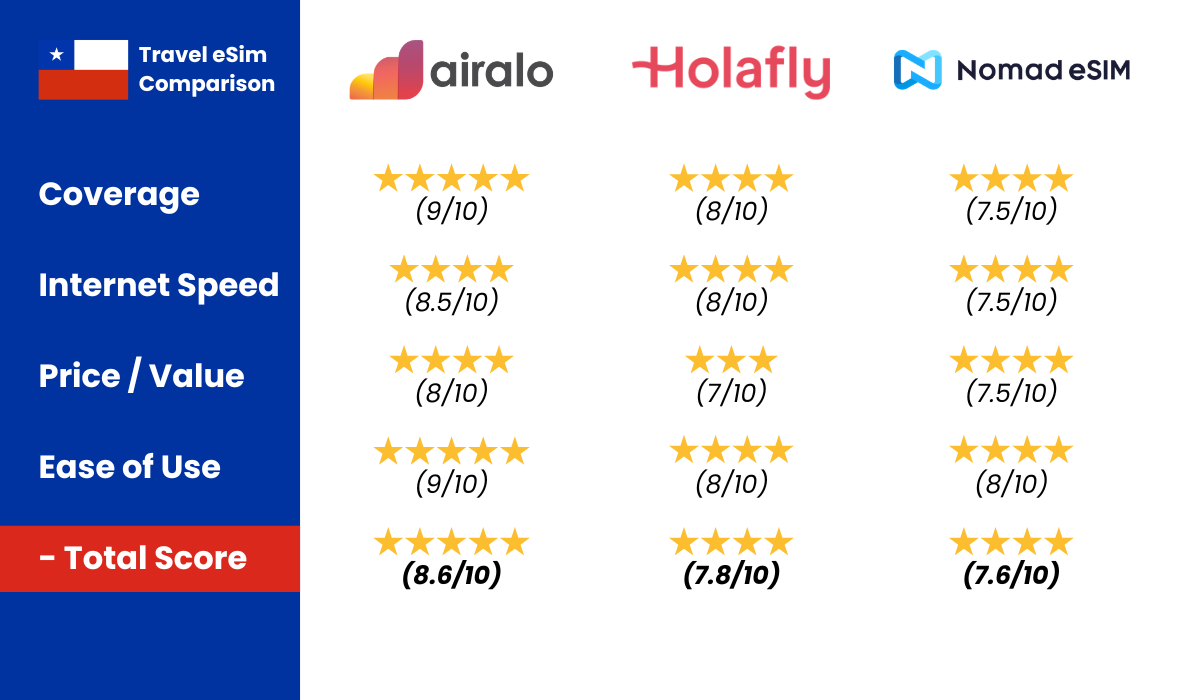
    Coverage: 9/10 ⭐⭐⭐⭐⭐
    Speed: 8.5/10 ⭐⭐⭐⭐
    Price/value: 8/10 ⭐⭐⭐⭐
    Ease of installation: 9/10 ⭐⭐⭐⭐⭐

    If you are heading to places like:

    • San Pedro de Atacama
    • Valle de la Luna
    • El Tatio Geysers
    • Laguna Cejar
    • Atacama salt flats
    • Desert viewpoints and remote tours

    You will need something that actually works when it matters.

    🏆 Winner: Airalo
    Let’s get into why.

    Why you absolutely need an eSIM in the Atacama Desert

    The Atacama Desert is not Santiago.

    This is one of the driest and most remote places on Earth. Infrastructure is limited, distances are large, and once you leave the main town, you are often completely off-grid.

    You will deal with:

    • Long desert roads with nothing around
    • Early morning tours (like geysers at sunrise)
    • Remote landscapes with zero infrastructure
    • Limited WiFi options outside hotels
    • Harsh conditions that affect connectivity

    If you search online, especially on forums, you will see the same concerns over and over:

    “Will I have signal in San Pedro de Atacama?”
    “Does eSIM work in the Atacama Desert?”
    “Should I buy a SIM card locally?”
    “Is there coverage during tours?”

    The honest answer is simple.

    You will not have signal everywhere. That is normal in the Atacama Desert.

    However, you do want reliable internet in key moments such as:

    • In San Pedro town
    • At your hotel or hostel
    • Booking tours or transport
    • Checking maps before heading out
    • Staying connected in case of emergencies

    This is exactly where Airalo performs well.

    Airalo: the best Atacama Desert eSIM right now

    Airalo connects to major local networks in Chile, which makes a big difference compared to smaller eSIM providers that rely on weaker partnerships.

    In real travel situations, this translates into stable and reliable coverage in the places where you actually need it.

    In San Pedro de Atacama, for example, the connection is generally strong enough for navigation, bookings, messaging, and even light browsing or social media.

    Once you head deep into the desert, such as Valle de la Luna or remote lagoons, the signal will fade or disappear. This is not a limitation of Airalo specifically. It is simply the reality of traveling in such a remote environment.

    There is no provider that offers full coverage across the Atacama Desert.

    Atacama Desert eSIM coverage

    Let’s set realistic expectations.

    San Pedro de Atacama

    This is your main base, and coverage here is generally solid. You can use maps, book tours, send messages, and manage your travel plans without issues.

    Valle de la Luna

    Limited signal. You may have some connectivity near the entrance, but once inside the valley, expect little to no service.

    El Tatio Geysers

    Very limited coverage. These are located at high altitude and far from infrastructure. Do not rely on mobile data here.

    Laguna Cejar & Altiplanic Lagoons

    Some weak signal in certain areas, but overall unreliable. Best to assume you will be offline during visits.

    Desert tours

    Most tours take you far away from town. During these trips, it is normal to lose signal completely for hours.

    Again, this is not an eSIM issue. It is simply how the Atacama Desert is.

    Atacama Desert eSIM internet speed

    In San Pedro and other connected areas, Airalo performs well.

    • Google Maps loads quickly
    • Booking platforms work smoothly
    • Messaging apps like WhatsApp are reliable
    • Social media works without problems

    In more remote areas, speed will drop before the signal disappears completely.

    This is expected due to the limited infrastructure in the desert.

    Do you need a Chile-only eSIM for Atacama?

    Most travelers visiting the Atacama Desert will stay within Chile, so a Chile-only eSIM is usually enough.

    However, if your trip includes other countries in South America, you might consider a regional eSIM instead.

    Airalo offers both options:

    • Chile-only plans
    • Regional South America plans

    If you are only visiting Atacama and Santiago, a local Chile plan is the simplest and most cost-effective choice.

    Atacama Desert eSIM prices (2026)

    Airalo plans are flexible and suitable for different types of travelers.

    You will find:

    • Smaller data packages for short stays
    • Larger bundles for longer trips or heavier use

    For most people visiting the Atacama Desert, I recommend:

    5GB to 10GB for a 1 to 2 week trip.

    Why this is enough:

    You will spend a lot of time offline during tours and excursions, so your actual data usage is lower than in city travel.

    As of now, prices typically range from around €4.50 for smaller packages up to about €42.50 for larger bundles.

    You can always top up if needed, which is what I did during my trip.

    For the latest pricing, check the Airalo website.

    New to Airalo? Get $3 off this week with code KJ2068. Download the Airalo App now.

    How to install your Atacama Desert eSIM

    The setup process is very straightforward.

    • Download the Airalo app
    • Choose a Chile or regional plan
    • Purchase your data package
    • Follow the installation steps
    • Activate it when you arrive

    I always install my eSIM before leaving home while connected to stable WiFi.

    When I landed in Chile, I simply turned on mobile data and was instantly connected.

    No stress, no searching for SIM cards at the airport.

    Should you buy a local SIM in Atacama instead?

    In most cases, it is not worth it.

    San Pedro de Atacama is a small town, and while SIM cards are available, the process can be inconvenient.

    You might deal with:

    • Limited shop opening hours
    • Language barriers
    • Waiting times
    • Passport registration requirements

    After traveling to a remote destination, the last thing you want is to deal with logistics just to get internet.

    With an eSIM, everything is already set up before you arrive.

    Is unlimited data necessary?

    In my opinion, no.

    Unlimited data sounds appealing, but in the Atacama Desert it does not add much value.

    You will spend large parts of your time exploring, doing tours, and being offline anyway.

    A solid data package is more than enough for:

    • Navigation
    • Communication
    • Booking activities

    When should you buy your Atacama eSIM?

    The best time to buy your eSIM is a few days before departure.

    Install it at home using WiFi so everything is ready.

    Then activate it once you land in Chile.

    This way, you arrive fully connected without any hassle.

    Is Airalo really the best Atacama Desert eSIM?

    Based on my experience, yes.

    It offers:

    • Reliable coverage in San Pedro
    • Stable speeds where infrastructure exists
    • Easy installation
    • Flexible data plans
    • Quick top-ups

    Will it give you signal in the middle of the desert? No.

    But no provider can.

    For actual travel use, it is the most reliable option available right now.

    Final verdict

    If you want:

    ✔ Easy setup
    ✔ Reliable coverage in San Pedro de Atacama
    ✔ No airport SIM hassle
    ✔ Flexible data plans
    ✔ Smooth travel experience

    Airalo is the best Atacama Desert eSIM in 2026.

    New to Airalo? Get $3 off this week with code KJ2068. Download the Airalo App now.

    You can set everything up in minutes, and once you arrive in Chile, you are connected instantly.

    Frequently asked questions

    What should travelers know about Atacama Desert eSIM?

    San Pedro de Atacama has patchy cell service outside town; download offline maps and compare eSIM plans before you arrive.

    Quick pick: For most travelers, Airalo is the easiest Chile eSIM to set up before you fly. Compare all providers in our full eSIM comparison, see cheapest Chile eSIM plans, or read region-specific guides for Atacama Desert eSIM guide.

  • Easter Island eSIM (2026 Guide)

    Easter Island eSIM (2026 Guide)

    Short answer?
    The best Easter Island eSIM in 2026 is Airalo.

    Install before the island flight. The trip order lives in how to visit Easter Island and Easter Island hotels.


    Chile eSIM comparison: Airalo vs Holafly vs Nomad
    We’ve compared Airalo, Holafly, and Nomad side by side. Click here for our full Chile eSIM comparison.

    Easter Island has limited mobile coverage; install your Chile eSIM before flying to Mataveri airport (IPC).

    I’ve tested it myself in Chile and specifically looked into how it performs in Easter Island, because this is where most eSIMs get exposed. Big cities are easy. Easter Island is not.

    New to Airalo? Get $3 off this week with code KJ2068. Download the Airalo App now.

    If you are going to places like:

    • Rano Raraku
    • Tongariki
    • Anakena Beach
    • Orongo
    • Ahu Tahai
    • Rano Kau

    You need something reliable.
    🏆 Winner: Airalo
    (I like to cut to the chase). Read more below:

    Why you absolutely need an eSIM on Easter Island

    Rapa Nui (Easter Island) is not mainland Chile.

    There are:

    • Long empty roads with barely anyone around
    • Limited mobile coverage outside the main town
    • Remote archaeological sites far from infrastructure
    • National park areas with little to no signal
    • Very few places to quickly get help if something goes wrong

    And you’ll see the same questions everywhere online:

    “Will I have signal at Tongariki?”
    “Does data work near Rano Raraku?”
    “Should I buy a SIM at the airport?”
    “Is there coverage around Anakena Beach?”

    The honest answer?

    You will not have signal everywhere. That’s just how Easter Island is.

    But you do want reliable data in:

    • Hanga Roa (the main town)
    • The airport
    • Restaurants and cafés
    • Booking tours or accommodations
    • Navigation between key sites
    • Emergencies

    That is where Airalo performs best.

    Airalo: the best Easter Island eSIM right now

    Airalo connects to major local networks in Chile. That matters because smaller eSIM brands often rely on weaker partner agreements, which can mean less stable coverage.

    In real life, here is what that means:

    In Hanga Roa, the main town on Easter Island, coverage is generally stable and good enough for maps, bookings, and everyday use.

    Once you leave town and head to places like Rano Raraku, Tongariki, or more remote parts of the island, signal can drop or disappear completely. But that’s not an Airalo issue, that’s just how the island works.

    There is no eSIM on Easter Island that gives you full coverage everywhere.

    Easter Island eSIM coverage

    Let’s be realistic.

    Hanga Roa
    Strong 4G in most areas. Works well for maps, bookings, WhatsApp, and general use.

    Mataveri Airport
    Good signal when arriving and departing. Enough to get a ride, check bookings, or contact your hotel.

    Anakena Beach
    Limited coverage. You might get signal, but don’t rely on it consistently.

    Rano Raraku
    Very weak or no signal. Expect to be offline while exploring.

    Tongariki
    Little to no coverage. One of those places where you should assume you’re disconnected.

    Remote parts of the island
    Once you leave Hanga Roa, coverage becomes unreliable quickly. Large parts of the island have no service at all.

    This is normal for Easter Island. Not an eSIM issue.

    Easter Island eSIM internet speed

    In towns, Airalo feels fast.

    • Google Maps loads instantly
    • Booking apps work smoothly
    • Instagram and YouTube run fine
    • Video calls possible in urban areas

    In remote zones, speed drops before disappearing.

    Again, this is Easter Island infrastructure, not the eSIM provider.

    Easter Island eSIM prices (2026)

    Airalo plans usually range roughly from:

    • Small data packages for short trips
    • Larger bundles if you use maps constantly

    I personally recommend:

    5GB to 10GB for a 2–3 week Easter Island trip.

    Why?

    Because you will not have signal while hiking. So your actual usage is lower than in city travel.

    Always check the latest pricing on the Airalo website.

    New to Airalo? Get $3 off this week with code KJ2068. Download the Airalo App now.

    One of the things I liked about Airalo is the flexibility. There are plenty of data bundles to choose from, depending on how much you use your phone. As of writing this article, the prices range from about €4.50 for 1 GB up to €42.50 for 20 GB. I personally started with the smaller pack of 10GB and then topped up when I needed more.

    Since prices can change, you can always check the most up-to-date offers directly on the Airalo Chile page.

    How to install your Easter Island eSIM

    Very simple:

    1. Download the Airalo app
    2. Choose Chile, Argentina, or regional South America
    3. Purchase your data package
    4. Follow the installation steps
    5. Activate when you land

    I always install it at home before departure.

    When the plane lands on Easter Island, I just turn on mobile data and I am connected within minutes.

    No airport SIM hunting.

    Should you buy a local SIM in Easter Island instead?

    Short answer: not worth the hassle.

    On Easter Island:

    • There are very few places to buy a SIM
    • Options are limited and not always reliable
    • Setup can take time
    • You may need ID or registration

    After a long travel day, the last thing you want is dealing with all that.

    With Airalo, you are online in minutes.

    Is unlimited data necessary?

    In my opinion, no.

    Unlimited plans sound attractive. But here’s the reality:

    Large parts of Easter Island have no coverage anyway.

    You are exploring, driving around, visiting sites.

    You are not streaming videos all day.

    A solid data bundle is more than enough.

    When Should You Buy Your Easter Island eSIM?

    Buy it 2–3 days before departure.

    Install it at home where you have stable WiFi.

    Then activate once you land.

    Stress-free arrival.

    Is Airalo Really the best Easter Island eSIM?

    For me, yes.

    It gives:

    • Strong town coverage
    • Reliable speed
    • Easy border transitions
    • Simple installation
    • Fair pricing
    • Fast top-ups

    Does it give full signal on a glacier? No.

    Nothing does.

    But for actual travel logistics in Easter Island, it is the most reliable choice right now.

    Final Verdict

    If you want:

    ✔ Easy setup
    ✔ Good coverage in Easter Island towns
    ✔ No airport SIM stress
    ✔ Simple border crossings
    ✔ Reliable travel internet

    Airalo is the best Easter Island eSIM available right now.

    New to Airalo? Get $3 off this week with code KJ2068. Download the Airalo App now.

    You can Download the Airalo app and set everything up in under 5 minutes.

    And once you land in Easter Island, you are already connected. No drama.

    Frequently asked questions

    What should travelers know about Easter Island eSIM?

    Easter Island has limited mobile coverage; install your Chile eSIM before flying to Mataveri airport (IPC).

    Quick pick: For most travelers, Airalo is the easiest Chile eSIM to set up before you fly. Compare all providers in our full eSIM comparison, see cheapest Chile eSIM plans, or read region-specific guides for Easter Island eSIM guide.

  • Mobile Internet Chile (2026 Guide)

    Mobile Internet Chile (2026 Guide)

    So you’re going to Chile, or thinking about it. One of the first things most people ask is simple: how do I get mobile internet in Chile?


    Chile eSIM comparison: Airalo vs Holafly vs Nomad
    We’ve compared Airalo, Holafly, and Nomad side by side. Click here for our full Chile eSIM comparison.

    Official sources: Airalo Chile plans

    Mobile internet in Chile works well in cities on 4G and 5G; remote Patagonia and parts of Atacama need planning for connectivity.

    Whether you want to stay in touch with family, check maps, or book transport, having reliable mobile internet in Chile makes everything easier.

    Below, we’ll walk you through the most common options step by step, so you can choose what feels right for you.

    1. eSim Card

    An eSIM is a newer way to get mobile internet in Chile without inserting a physical SIM card.

    Planning more? Read our guide to Chile SIM card versus eSIM.

    You may also like our guide to Airalo Chile eSIM review.

    Instead, you download a digital plan to your phone before or during your trip.

    The main difference from a regular SIM card is that there’s nothing to physically change in your phone.

    This option works well if:

    • Your phone supports eSIM
    • You prefer setting things up before arrival
    • You want to keep your current SIM in your phone

    I personally use an eSim in general for daily use, and every time I visit Chile I use Airalo. Here’s a quick comparison between the biggest eSim providers:

    New to Airalo? Get $3 off this week with code KJ2068. Download the Airalo App now.

    Tip: ask family, friends or a neighbor to help you with installing your eSim. We all need some help with new technology, just like I helped my family installing their eSim.

    2. Physical SIM Card

    A local SIM card is one of the most straightforward ways to get mobile internet in Chile.

    You simply replace your current SIM card with a Chilean one, and you’ll be able to use local mobile networks at local prices.

    This option works well if:

    • Your phone accepts SIM cards
    • You’re comfortable swapping your SIM
    • You don’t mind using a different phone number while traveling

    Here’s a quick video on how to replace the SIM Card for a Chilean one.

    You can usually buy SIM cards at the airport, phone shops, or convenience stores. Staff will often help you set it up, which makes this a reassuring option for many travelers.

    3. WiFi

    WiFi is another common way people stay connected, especially if they want to avoid using mobile data.

    In Chile, you’ll find WiFi in:

    • Hotels and accommodations
    • Airports
    • Cafés and shopping centers

    While WiFi can be useful, it does have limits. You’ll only have internet when you’re connected to a network, which can make things like maps or messaging harder when you’re out and about.

    For this reason, many travelers use WiFi together with a mobile internet option in Chile, rather than relying on it completely.

    My recommendation

    If you want a simple and reliable way to get mobile internet in Chile, I usually recommend using the Airalo eSim.

    It gives you good coverage across the country, fast speeds, and it’s often more affordable than international roaming. You can set everything up before your trip, so you’re connected as soon as you arrive.

    If you decide to go this route, services like Airalo are easy to use and work well in Chile.

    New to Airalo? Get $3 off this week with code KJ2068. Download the Airalo App now.

    A simple way to make your data last longer is to connect to WiFi whenever it’s available, for example at your accommodation or in cafés, and use your mobile internet in Chile when you’re out and about.

    Frequently asked questions

    What should travelers know about Mobile Internet Chile?

    Mobile internet in Chile works well in cities on 4G and 5G; remote Patagonia and parts of Atacama need planning for connectivity.

    Quick pick: For most travelers, Airalo is the easiest Chile eSIM to set up before you fly. Compare all providers in our full eSIM comparison, see cheapest Chile eSIM plans, or read region-specific guides for Patagonia, Atacama, or Easter Island.