

Chile eSIM Guides
Chile eSIM Guide (2026 Edition)
How to stay connected on a Chile trip (eSIM before you land).
Chile eSIM Guide.
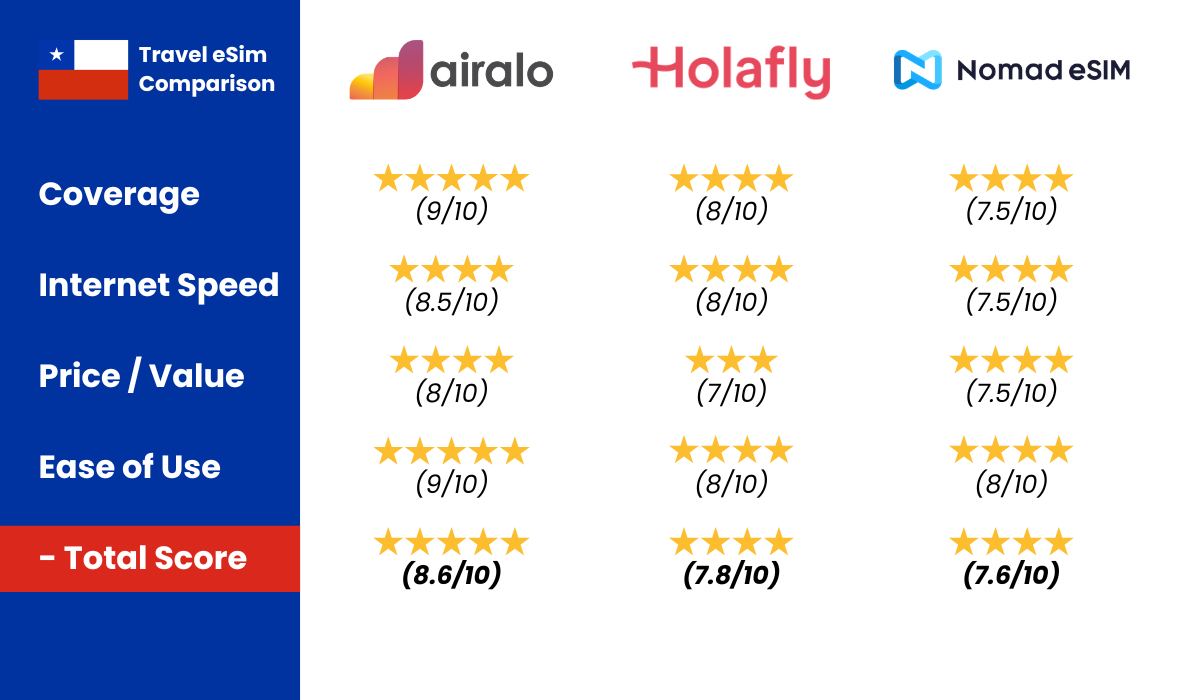 We’ve compared Airalo, Holafly, and Nomad side by side. Click here for our full Chile eSIM comparison.
Jan & Valeria. We travel to Chile often and love sharing tips to help you experience this beautiful country.
Affiliate disclosure: some links below (including Airalo) may earn us a commission at no extra cost to you. We only recommend what we would use ourselves.
Staying connected in Chile is a safety tool, not a gadget flex. The moment we step out of SCL, we want maps, ride apps, hotel confirmations, and banking two-factor codes to work without hunting airport Wi-Fi like it is 2012. Losing phone access on a trip-of-a-lifetime vacation is how small problems become expensive ones.
Why we install an eSIM before the flight

Physical SIM swaps are possible in Chile, but they waste vacation time and language bandwidth at kiosks. An eSIM activates when we land, keeps our home number on dual-SIM phones for texts if needed, and removes one unknown from arrival day. We buy data before departure, test install at home on Wi-Fi, and land ready.
For most trips that means Airalo. It is not the only provider, but it is the one we reach for first because setup is familiar and coverage in cities matches what we need. Compare tradeoffs in our Chile eSIM comparison and the pillar best Chile eSIM for travel guide before you commit.
What connectivity actually buys you
Maps and rides: Santiago, Valparaíso, and tourist towns run on ride apps and walking directions. Offline maps are backup, not the plan.
Money and bookings: Hotels, flights, and banks expect your phone to receive codes.
Coordination: Tour pickups, WhatsApp with local family, and last-minute restaurant changes.
Calm: You are not borrowing a stranger’s hotspot outside the terminal.
Install checklist (do this at home)
- Confirm your phone is unlocked and eSIM compatible.
- Buy a Chile data plan via Airalo before departure.
- Install the eSIM on Wi-Fi, but delay activation until landing if the app allows.
- Download offline Google Maps regions for Santiago and your second region.
- Screenshot hotel addresses and confirmation numbers.
- Keep your primary SIM for SMS two-factor if your bank still requires it.
We also carry a small power bank. A dead phone erases the safety benefit of the eSIM.
At the airport and first hour
Enable data roaming for the eSIM line when you clear customs. Toggle airplane mode once if the network hesitates. Connect before you commit to a transfer or ride. SCL has Wi-Fi, but your own data is faster when taxis and pickups are waiting.
If activation fails, hotel Wi-Fi plus patience usually solves it. We do not panic-buy a physical SIM unless we have a true deadline. Most Airalo hiccups are settings, not Chile being exotic.
Coverage expectations by region
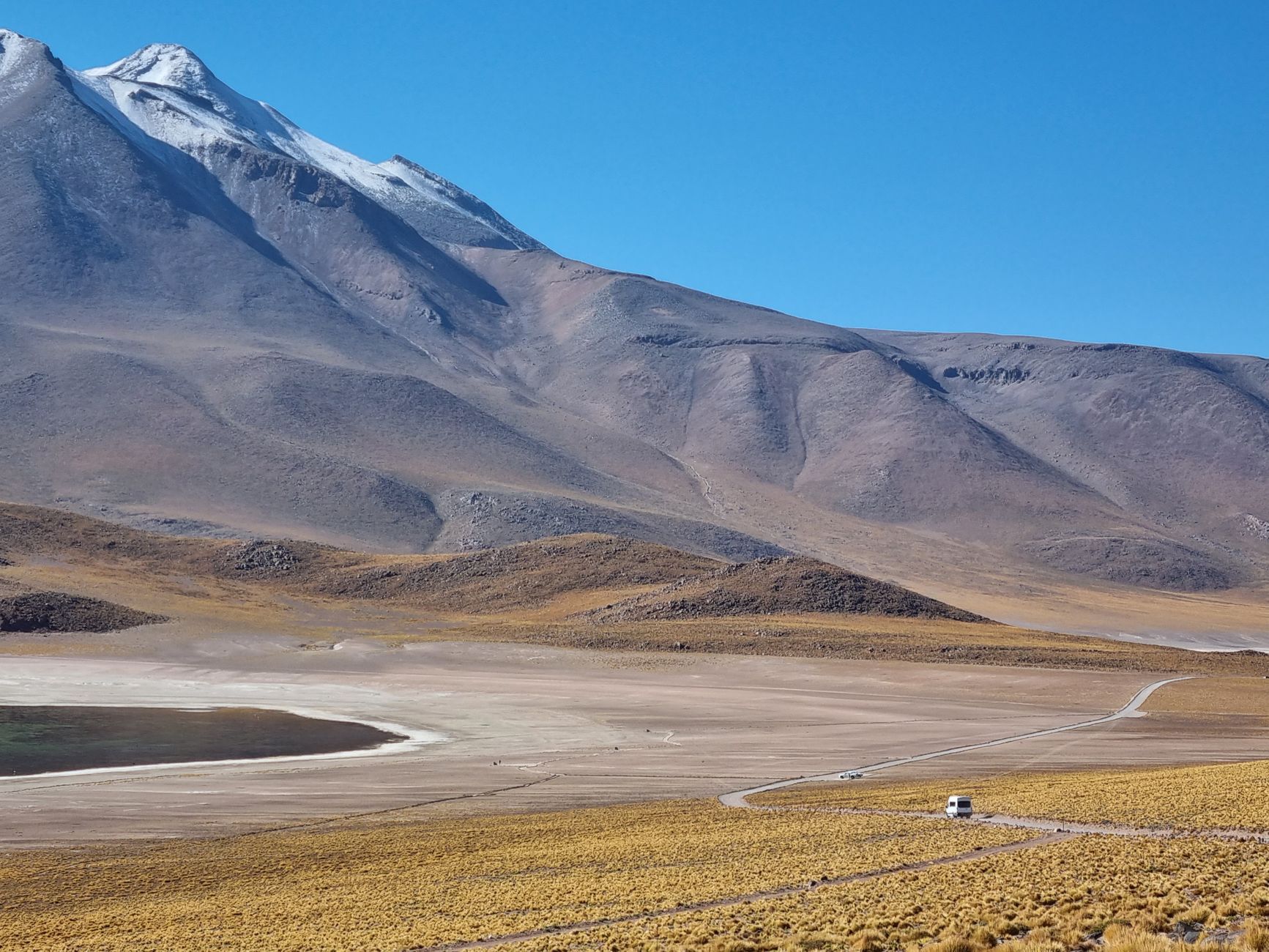
Santiago, major cities, and tourist towns generally work well on mainstream eSIM networks. Highways between cities often have gaps. Patagonia wind and Lake District valleys can drop signal on scenic roads. The Atacama altiplano outside San Pedro is a different story. See our Atacama desert eSIM notes if the desert is on your itinerary.
We plan tours and drives assuming offline maps exist. Connectivity is for logistics and safety, not for live-streaming every guanaco.
What Valeria says: WhatsApp is how Chile actually runs. Family groups, restaurant changes, last-minute plans. Data matters more than voice minutes. Make sure your messaging apps work on day one.
Data sizing without invented math
We avoid quoting exact gigabyte prices because plans change. Instead we choose enough data for two weeks of maps, messaging, and light browsing, then top up in the app if we are heavy on hotspot use for laptops. Couples sharing one phone hotspot use more than solo travelers. Video calls on remote roads use more than texting hotel lobby.
When unsure, buy the middle tier and monitor usage the first two days. Upgrading in-app beats running dry outside San Pedro.
Security habits with a live connection
Connectivity helps safety, but public Wi-Fi still deserves caution for banking. Use hotel networks for downloads, not for password resets if you can avoid it. Keep screen lock on. Enable find-my-phone. Back up photos periodically. A connected phone you lose is still a problem. A lost phone with no data and no backups is worse.
When eSIM is not enough
Remote multi-day hikes, some ferry stretches, and high-altitude desert routes may need satellite messengers or tour-company radios. That is normal. eSIM does not replace guide logistics in Torres del Paine backcountry any more than it replaces common sense in Santiago crosswalks.
Dual-SIM phones and travel partners
If two of you travel together, decide whether both phones need data or whether one hotspot is enough. We usually data both phones because split days happen: one person at the spa, one at the market, one phone dead in a bag. Redundancy is cheaper than an afternoon of miscommunication.
Label your eSIM line in settings before you fly. “Chile data” beats “eSIM 2” when you are tired at customs.
Roaming from home carriers
Some US and European carriers sell daily international passes. Compare total trip cost against Airalo before you default to roaming. Roaming is convenient but often expensive for two-week trips with maps and photo backups. We still install Airalo even when roaming exists, because backup data saves arrival day when roaming activation lags.
WhatsApp, iMessage, and banking codes
Messaging apps use data, not SMS, for most international chats. Banking two-factor codes may still arrive as SMS to your home number. Before you fly, confirm which accounts will text your primary SIM and which accept app-based codes. A five-minute audit at home prevents a locked card at a Santiago restaurant.
Hotspot etiquette for laptops
If you hotspot a laptop for work email, monitor data burn. Uploading raw video from Patagonia over a phone hotspot will annihilate a modest plan. Download what you need on hotel Wi-Fi, use hotspot for urgent tasks only, and top up early if usage spikes.
Santiago Metro and underground signal
Metro rides drop signal between stations. That is normal. Queue messages, screenshot platform directions before you descend, and do not panic when maps freeze underground. Surface streets in Providencia and Las Condes recover quickly once you exit.
Replacing a lost or broken phone
If a phone dies or disappears, your eSIM dies with it on most devices. This is another reason we backup confirmations to email and travel partner phones. Chile has Apple and Samsung service in Santiago, but vacation days are expensive to spend in repair shops. Screen protectors and cases are boring insurance.
Valparaíso day trips and coastal signal
Coastal hills and funicular stations sometimes confuse maps. Download the Valparaíso offline region before you bus west from Santiago. Signal usually returns at the waterfront, but Cerro staircases are not the moment to discover you have no cache.
Our closing routine
Buy Airalo before you fly. Install at home. Activate at SCL. Keep offline maps as backup. Read the comparison guides when you want nuance, not when you are standing on the curb with a dead screen.
We hope this helps you plan a calmer Chile trip. If you are still choosing a base, start with safety and neighborhood fit, then book the hotel you will actually sleep well in.
Quick pick: For most travelers, Airalo is the easiest Chile eSIM to set up before you fly. Compare all providers in our full eSIM comparison, see cheapest Chile eSIM plans, or read region-specific guides for Patagonia, Atacama, or Easter Island.
Frequently asked questions
What should travelers know about Chile eSIM Guide?
Chile eSIM Guide.